A clean setup used to mean tidy cords and a fresh clip cord sleeve. In 2026, “clean setup” also means your power plan won’t break your rhythm mid-session. That’s why this tattoo setup checklist leans hard into a simple habit: one battery in use, one battery ready. No panic swaps. No guessing.
Why Tattoo Setup Matters More Than Ever in 2026
Trends come and go, but client expectations don’t. People book tighter slots. Studios run fuller days. Guest spots and conventions stay busy. When your station is built around cordless tools, the weak point becomes predictable: power that fades at the wrong moment.
A Fast Station Beats a Fancy Station
A fast station is one where every “small thing” has a place. Your rinse cups, your barrier film, your cartridges, your wipes. Your power plan too. If a battery swap turns into a five-minute reset, it stops being “just a battery.”
Downtime Looks Small, Then It Snowballs
Quick interruption is never just a quick interruption. You re-grip. You re-check needle depth. You re-find your line. Your client shifts. The vibe changes. That’s the real cost.
The Real Cost of Downtime During a Session
Downtime is sneaky. It does not always look dramatic. Sometimes it’s a machine that feels softer near the end of a pass, so you bump voltage, then bump it again, then wonder why it still feels “off.” That tiny loop is what drains time and confidence.
It Breaks Your Rhythm More Than Your Clock
Your hands run on patterns. When the pattern breaks, you slow down even if you don’t notice it. Most artists can keep going, sure. But you shouldn’t have to fight your setup.
Clients Notice the Pause
Even calm clients notice when you stop, reach, unwrap, swap, wipe, re-wrap, then restart. It’s not about looking “pro.” It’s about keeping the session smooth.
Why One Battery Is No Longer Enough
One battery can work. Plenty of people do it. The problem is that “can work” becomes “will fail on the busiest day.” The two-battery workflow is not about showing off gear. It’s about removing a single point of failure.
Wireless Battery Reality Check
Most cordless pens land in a broad battery-life range, often quoted around 4–8 hours per charge depending on voltage and load. That’s fine on paper. Real sessions aren’t paper. Higher settings and heavier groupings drain faster.
The Keyword You Should Treat Like a System
Treat the wireless tattoo machine battery like a system component, not a “thing you charge sometimes.” If it’s part of your daily work, it needs a daily workflow.
The Two-Battery Workflow Explained (in Simple Terms)
This is the core idea: you never let your session reach a point where power becomes a question. One battery runs the machine. One battery stays charged and ready. You swap at a planned moment, not at a desperate moment.
The Simple Rotation That Works
Here’s the basic loop:
- Battery A starts on the machine
- Battery B sits charged and staged
- You swap at a predictable point (not “when it dies”)
- Battery A goes to charge, out of the splash zone
- Battery B runs the next block of work
That’s it. It’s boring. Boring is good.
Where People Mess It Up
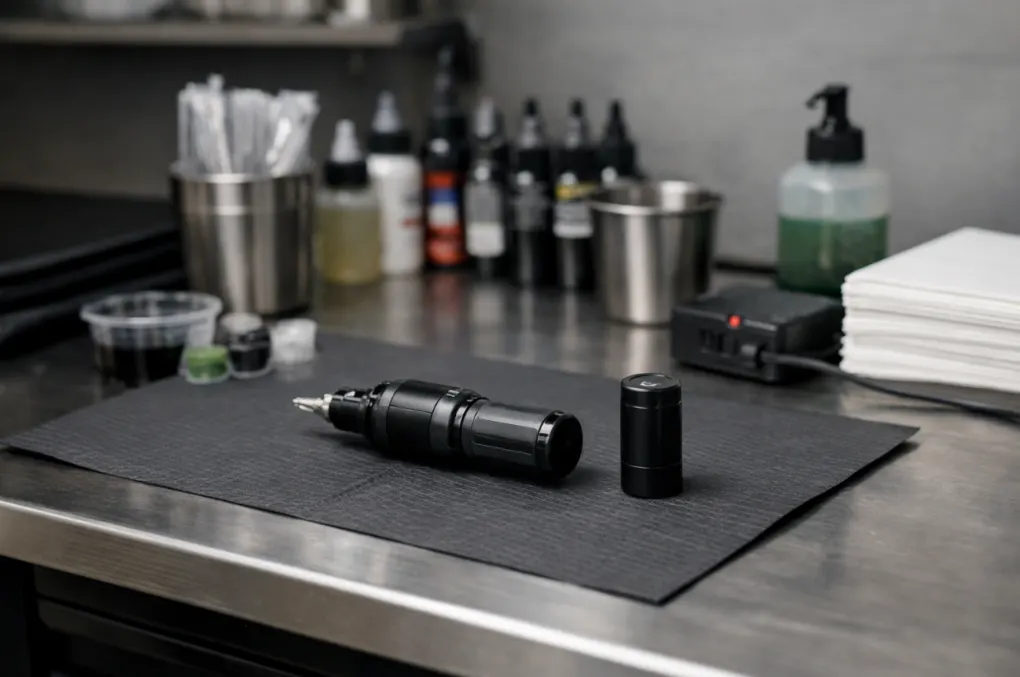
The common mistake is storing the spare battery “somewhere safe” and then realizing it’s across the room. The workflow only works when the spare is within reach and already clean-barrier ready for your station routine.
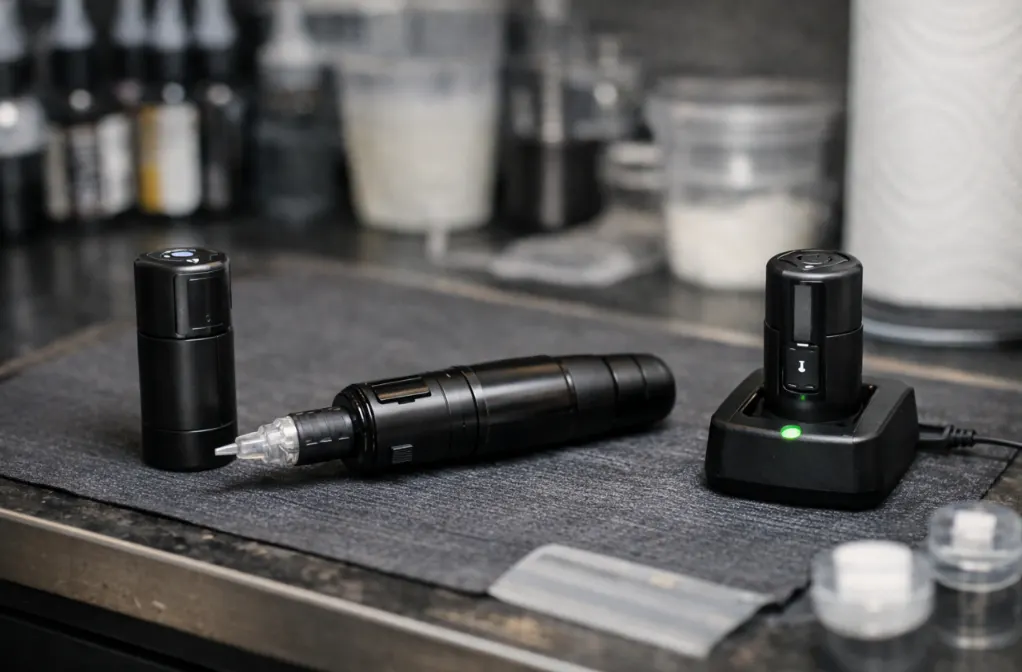
What Pros Actually Check Before a Session Starts
This part is your tattoo setup checklist that saves the day. It’s not long. It just needs to be consistent. Do it the same way every time, even on slow days.
The 60-Second Power Check
Before you glove up for the real work, do a quick power routine:
- Confirm Battery A shows a healthy charge
- Confirm Battery B is charged and ready
- Turn the machine on for a short test run
- Check the display, then listen for stable sound
- Put Battery B where your hand can find it without hunting
That “short test run” feels basic, but it catches the dumb stuff: loose connection, bad contact, a charger that didn’t actually charge.
Make the Swap Sanitary, Not Stressful
If your machine design requires a mid-session battery swap, your barrier plan matters. Artists talk about this a lot because it’s easy to do it the messy way when you’re rushed. Build the swap steps into your station habits so you don’t improvise when the client is on the table.
How Battery Swapping Affects Feel and Control
A mid-session swap shouldn’t change your work. But sometimes it does. That “why does this feel different now?” moment is common enough that it deserves a straight answer.
The Feel Shift You’re Not Imagining
When battery output drops near the end of a charge, your machine can feel softer. You compensate without thinking. Then you swap to a fresh battery and suddenly it hits harder at the same displayed voltage. That’s why planned swaps are smoother than last-minute swaps.
And yes, your wireless tattoo machine battery can be the reason a “same setting” feels different on the same day.
Pick a Swap Moment That Won’t Break Flow
Good swap moments are boring moments:
- After finishing a section
- Before starting a long line pass
- Right after a wipe-down reset
- When you were going to pause anyway
Bad swap moments are when you’re halfway through a critical sequence and already locked in.
Small Setup Details That Make the Workflow Smoother
This section is where real life shows up. Tiny choices decide whether the two-battery plan feels easy or annoying.
Put the Charger in a “Safe but Close” Spot
Close matters. Safe matters more. Keep chargers away from splash zones, green soap spills, and places where a cord gets dragged across a barrier surface. Also, don’t bury it behind your trash can. That’s how batteries “accidentally” don’t get charged.
Labeling Helps More Than People Admit
If you run multiple batteries, simple labeling prevents silly mistakes. Not fancy. Just clear. You want to know which one just came off the machine, and which one is fully ready.
And here’s a small human note: on a long day, everyone gets a little forgetful. A label prevents the “wait, which one is this?” moment.
Is This Workflow Right for Every Artist?
Not every setup needs the same system. If you do short sessions, work near a charger, and rarely push long runtime, one battery might be fine. But if you want a setup that behaves the same on a slow Tuesday and a packed Saturday, the two-battery approach is hard to beat.
When Two Batteries Becomes the Default
Two batteries make the most sense when:
- You work long sessions
- You travel or guest spot
- You do conventions
- You share stations in a busy studio
- You hate changing anything mid-flow
That’s when the wireless tattoo machine battery stops being a casual accessory and starts being a reliability plan.
What This Shift Says About Professional Tattoo Setups
A modern setup is less about owning more gear and more about owning fewer surprises. The two-battery workflow is one small example of a bigger idea: you build systems that protect your focus.
If you want the deeper, manufacturer-side look at why power consistency can vary across devices and batches, link this section to your “wireless tattoo machine manufacturer” guide. It complements this article without turning it into a sales pitch.
INKONE Tattoo Equipment Built for Real Workdays
INKONE is a tattoo equipment supplier founded in 2018 in Yiwu, China, built around a practical promise: stable gear, consistent output, and dependable delivery for working artists and professional buyers. The product lineup covers wireless tattoo machines, cartridge needles, power supplies, and disposable tattoo products, so you can standardize a full station instead of mixing random parts. The brand’s technical edge sits in its internal development strengths, including circuit schemes and machine structures, with software and hardware development handled independently. That matters when you care about repeat performance, not just a good first impression. Quality inspection, packing, and delivery details also get real attention, with a clear focus on safe, sterile equipment and tidy packaging that supports resale and studio organization.
FAQ
Q1: How many batteries should you keep for a wireless machine?
A: Two is the clean baseline: one running, one ready. If you do long days or travel a lot, a third battery makes life easier.
Q2: How long does a wireless tattoo machine battery usually last?
A: Many cordless pens are commonly described around a 4–8 hour range per charge, but voltage and workload change that fast.
Q3: Will swapping batteries mid-session mess up your hygiene setup?
A: It can, but only if you do it in a rush. The easy fix is to treat battery swaps like any other planned pause. Pick a natural break (after a wipe-down or before a long line pass), keep your spare battery staged, and don’t start digging around the station with dirty gloves.
Q4: Why does the machine feel different after you swap to a fresh battery?
A: A low battery can feel softer near the end, so you compensate without noticing. A fresh battery can bring the “real” hit back at the same setting. Planned swaps reduce that surprise.
Q5: What should you do if the battery won’t charge or charges weirdly?
A: Start simple: try a different cable and charging block first. If the issue stays, stop trusting that battery for sessions and rotate in a spare.