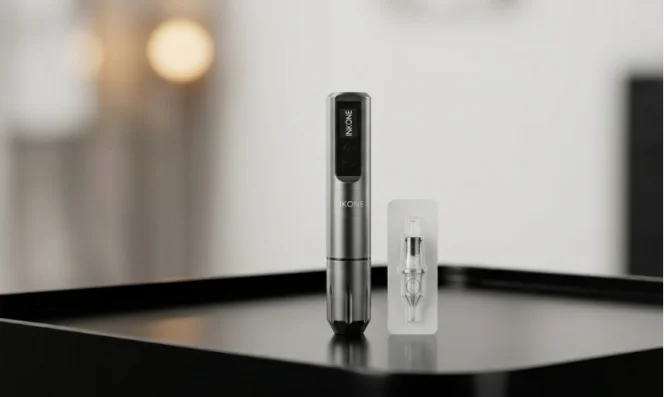
If you work every day with a pen style machine, you probably reach for one tool for lines and another for fill or soft shading. That means more weight on the tray and more things to set up. An adjustable stroke tattoo pen is built to cut that down. Instead of swapping machines, you change stroke length and voltage, then keep moving. Many newer wireless pens offer a stroke range from about 2.4 mm up to 4.2 mm, a coreless motor, and a 1500 mAh battery that runs around 4–6 hours from a 0–2 hour charge.
This guide looks at how stroke length affects the hit, why a wireless setup helps in real sessions, and how you can use one pen for both lining and shading without guessing your way through it.
What Is an Adjustable Stroke Tattoo Pen?
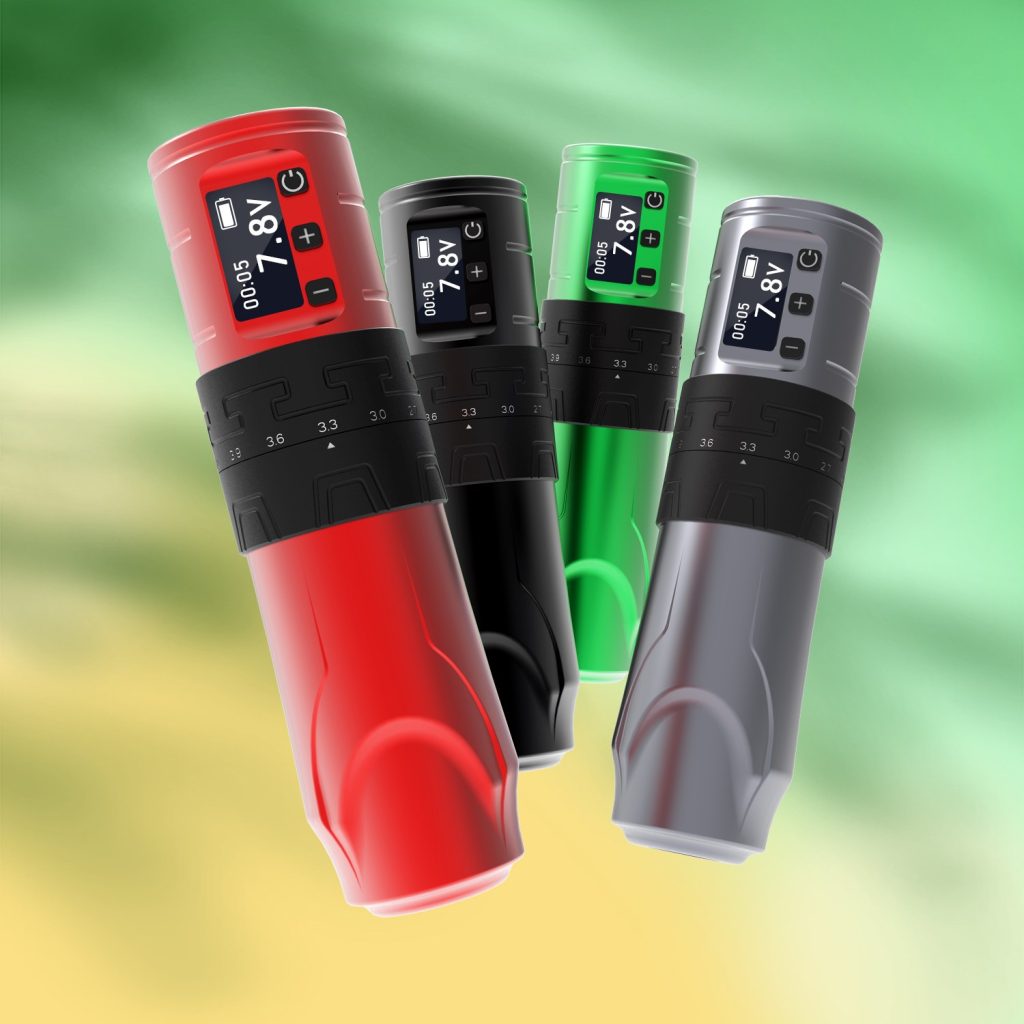
In simple words, stroke is how far the needle travels in one cycle. On a fixed stroke machine, you are locked into one feel. An adjustable stroke system lets you shorten or lengthen that travel in small steps, so you can tune the hit for lines, soft shading, or solid color. Many rotary pens do this with a dial system that clicks through preset points, for example 2.4, 2.7, 3.0, 3.3, 3.6, 3.9, and 4.2 mm.
How Stroke Length Changes the Hit
Shorter stroke usually means a faster, lighter hit. That suits fine lines, script, and small detail where you want control more than raw drive. Longer stroke gives more push and dwell, which helps when you pack color, push into thicker skin, or build smooth black and grey. The key point is this: when stroke and voltage match the task, the needle spends just enough time in the skin to get clean saturation without chewing it up.
One Pen for Lining and Shading
If you dial a shorter stroke with a mid voltage, you can run tight liners and small details with low trauma. For shading or color, a longer stroke setting with a slightly higher voltage gives you a softer but more effective hit over a wider area. With a good wireless tattoo machine pen and a clear stroke range, you can move from stencil lines to whip shading just by changing settings instead of changing machines.
Why Go Wireless for Everyday Work?
Cable drag sounds like a small thing on paper. In the chair, it gets old fast. Moving around a client, bending to reach odd spots, and clearing the clip cord from fresh ink all slow you down. A wireless setup cuts out that line on the floor and gives you more freedom in tight studio spaces or at guest spots.
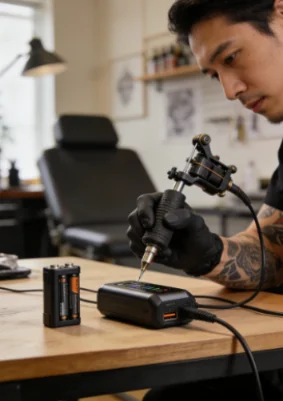
A modern wireless pen usually has a battery pack on the back or in the grip. With around 1500 mAh and a coreless motor, you can expect about 4–6 hours of work at common voltages before you swap batteries.
Working Comfort in the Chair
Less gear hanging off the machine means less weight in the wrong place. You get a cleaner balance in your hand and fewer small adjustments while you stretch the skin. Over a long day, this matters as much as pure power. When your focus stays on needle angle and stretch, not on where the cord sits, lines tend to look better and your wrist stays happier.
Power and Battery Details That Matter
When you pick a wireless pen, do not only look at “hours of work”. Check how the pen behaves across its voltage range. Inkone tattoo machine or similar pen style tool should keep a steady motor feel from around 4–12 V, so you do not get surprises when you shift from soft grey to tight lines. Two batteries in the box are also a plus, because you can charge one while you run the other and avoid clock-watching during long sessions.

How to Choose Settings for Lining and Shading?
Stroke length and voltage work together. If you change one, the other often needs a small tweak. There is no magic number that fits every hand and every needle, but there are safe starting points that help you get close without tearing skin.
Starting Points for Lines
For clean line work with a 3–9 RL, many artists start with a shorter stroke in the 2.4–3.0 mm range at a moderate voltage. A shorter stroke gives you control at the tip, so you can move a bit slower without overworking the skin. If lines feel too light or you see holidays, first raise voltage in small steps. Only after that, think about lengthening the stroke.
Starting Points for Shading and Color
For soft black and grey or color packing with mags, a longer stroke around 3.5–4.2 mm with a slightly lower hand speed often feels smoother. With that longer travel, the needle stays in the skin a bit more, so you do not have to scrub. If you see too much redness, try dropping voltage first or shorten the stroke a click. The idea is to let the machine do the work while your hand moves clean and steady.
What Makes INKONE Worth a Look
INKONE is a tattoo equipment supplier based in Yiwu, China, a city known for its dense manufacturing and export network. The brand focuses on rotary machines, wireless pens, needles, power supplies, and other studio essentials, so the full setup can come from one place. On the machine side, many of its wireless pens use a direct drive system with adjustable stroke from roughly 2.4 mm up to 4.2 mm, paired with a custom coreless or brushless motor designed for consistent hit and speed.
Since 2018, INKONE has built a small but focused team that handles product design, circuit layout, and mechanical structure in-house. That means the battery, screen, and motor are designed to work together, not as random parts from different suppliers. The company also offers OEM and ODM support, so distributors can request custom colors, logos, or packing for their own markets while keeping the same core hardware. If you want a wireless pen that can switch roles between lining and shading without a full rack of machines, it is a name worth keeping on your shortlist.
FAQ
Q1: What stroke length should you start with for lining?
A: A safe starting point for many setups is a shorter stroke, somewhere around 2.4–3.0 mm, with medium voltage. That usually gives a clear line without hitting too hard. If the line looks weak, try a small bump in voltage before you jump to a much longer stroke.
Q2: Can one adjustable stroke pen really cover both lining and shading?
A: For a lot of day-to-day work, yes. You can keep a shorter stroke and snappier voltage for linework, then switch to a longer stroke and softer hand for shading and color. It will not replace every machine you own, but it can handle a big part of your bread-and-butter jobs.
Q3: How long does a wireless tattoo machine pen usually run on one charge?
A: Many wireless pens with around a 1500 mAh battery run about 4–6 hours at common voltages, then need roughly 2 hours on the charger. Having a second battery ready is the easiest way to make power a non-issue in longer sessions.
Q4: Is an adjustable stroke system hard to get used to?
A: It feels strange for the first few sessions, because a small twist on the dial changes how the machine hits. After a bit of testing on practice skins and simple pieces, most artists get a feel for two or three “go-to” settings and stick with those for daily use.
Q5: Does a wireless setup lose power compared to a corded machine?
A: With a good build, not really. Modern batteries and coreless motors can drive cartridges with solid strength, as long as you stay inside the recommended voltage range. If the machine starts to feel soft, it is usually the battery running low or the voltage set too low, not a problem with the whole idea of going wireless.