Choosing a wireless tattoo machine is not only about buying the newest gadget. The machine you put on your tray every morning shapes how your hand feels after a long day, how clean your station looks, and how calm you stay when a session runs longer than planned.
If you just scroll through ads and short reviews, every pen seems to be the best wireless tattoo machine for beginners and professionals at the same time. In real daily work, that is never true. You need a machine that fits your way of tattooing, not a generic label. The points below walk you through what to look at, what to ignore, and how to read wireless tattoo machine pros and cons in a way that matches your own schedule and clients.
Clarify Your Daily Work Style And Needs
Before you look at motors and batteries, it helps to think about how you actually work. Two artists can buy the same machine and feel completely different about it, just because their days are not the same.
A good way to start is to look at three simple things: how long you usually work on one client, what kind of tattoos you do most, and how often you move between places.
Session Length And Booking Pattern
If you mostly do short walk in pieces and small lettering, a wide range of wireless pens can handle your needs. You will rarely hit the limit of the battery, and you can recharge between clients.
If you often run four to six hour sessions, you need to pay closer attention to real battery time and how the machine behaves as the charge drops. Some pens keep a solid hit until the last part of the charge, others feel weaker after a couple of hours. For long days, it is safer to plan on at least two batteries.
Preferred Tattoo Styles
Fine line, small blackwork, and soft shading do not stress the motor as much as dense color packing or heavy saturation. If you like bold traditional work or solid color sleeves, look for a stronger motor and a stroke length that suits heavy work.
When you read about the best wireless tattoo machine for beginners, notice if the review mentions what style the machine favors. A pen that feels perfect for tiny scripts may not feel strong enough for large color gradients.
Studio Space And Travel Habits
In a small studio, a wireless machine keeps your tray cleaner and your floor safer. There are fewer cables to tape and less risk of someone touching the cord by accident. If you do guest spots or conventions, a wireless pen cuts down your travel kit to a more manageable size.
If you always work in the same roomy studio and do not travel at all, mobility still has value, but it may not sit at the top of your list.
Key Technical Specs To Focus On
Once you have a clear picture of your work pattern, it is easier to look at technical specs without drowning in numbers. You do not need a full engineering degree to read spec sheets. You just need to know which values affect real skin.
Motor Power And Stroke Length
Motor power and stroke length shape how the machine hits. A stronger motor keeps a steady drive in tough skin and large color areas. Stroke length affects line sharpness and color packing. Shorter strokes feel more gentle and controlled, longer strokes hit harder and push ink deeper.
If your work mixes fine line and medium sized pieces, a balanced stroke works well. If you lean into big, saturated designs, you may feel happier with a longer stroke and a motor that does not slow down when the needle meets resistance.
Voltage Range And Stability
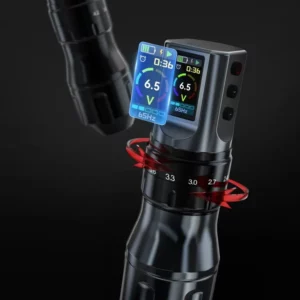
Most wireless pens let you adjust voltage in small steps. The range is less important than how stable the output stays during a session. A jumpy voltage curve makes your lines inconsistent. A stable curve keeps your hand habits useful from one tattoo to the next.
When you weigh wireless tattoo machine pros and cons, voltage stability should sit high on your list. It is not as flashy as battery size, but it matters every minute you work.
Battery Capacity And Swap System
Battery capacity tells you how long the machine might run, but real time depends on your voltage and style. A simple rule is that you should be able to cover at least two to three average sessions with your total battery set.
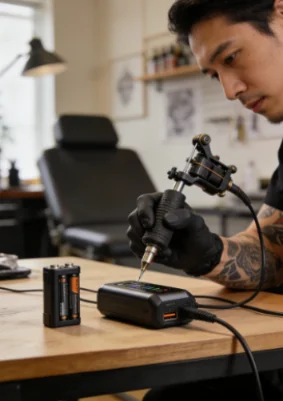
Think about how easy it is to swap batteries. A simple slide or click mechanism saves time during busy days. Some artists buy a third battery only for safety. It is a small cost compared with rescheduling a client because your gear died.
Here is a simple way to read the main specs:
| Spec | What It Affects | What You Should Look For |
|---|---|---|
| Motor power | Ability to push lines and color | Enough torque for your main style |
| Stroke length | Feel of the hit, line and shading behavior | A length that matches your common tattoo size |
| Voltage stability | Consistency session after session | Smooth output across the whole voltage range |
| Battery capacity | Run time before charging or swapping | Enough for your longest typical booking |
Comfort, Weight, And Machine Shape
You hold the machine for hours, so comfort is not a luxury. It is part of your health. Even a machine with perfect specs can feel wrong in your hand if the weight sits in the wrong place.
Balance And Center Of Gravity
Wireless machines carry the battery inside the body, which adds weight near the back. A thoughtful design balances this with the grip so the pen does not tip forward or drag backward.
If possible, think about how the machine will feel after three hours, not just in the first minute. A slightly heavier but balanced pen may hurt your hand less than a lighter one with poor balance.
Grip Size And Surface Texture
Grip diameter and texture change how tight you need to hold the pen. A fat, smooth grip can force your hand to clamp harder, which leads to more strain. A grip that fits your finger length and has a gentle texture helps you relax while still keeping control.
If you often wrap your machine heavily, remember that this makes the grip thicker. Add that into your judgment when you look at product photos and numbers.
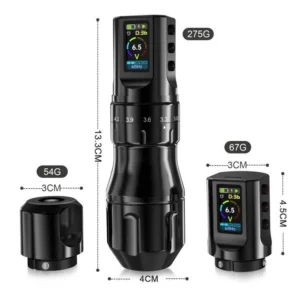
Wireless Tattoo Machine Pros And Cons In Real Use
Most lists of wireless tattoo machine pros and cons repeat the same words. To make them useful, you need to link each point to your own work.
Where Wireless Machines Shine
Wireless machines remove the cable, so your movement around the client feels more natural. The station looks cleaner and is easier to wipe down between appointments. You can also set up in unusual spaces more easily, which helps for private sessions or events.
For many people, especially newcomers, this simpler layout reduces stress. This is one reason the best wireless tattoo machine for beginners is often a straightforward pen with clear controls, not a complex system.
Where Wireless Machines Fall Short
The weak points sit around battery life and weight. When the battery drops, some machines lose strength. You can avoid most of the trouble with spare batteries and a charging routine, but it still needs attention.
Weight can also be an issue. A heavy, top loaded machine can tire your wrist. This is why it helps to read beyond the marketing line and think about how the machine will feel in a four hour session, not just on paper. Seeing wireless tattoo machine pros and cons in this grounded way keeps your choice closer to real life.
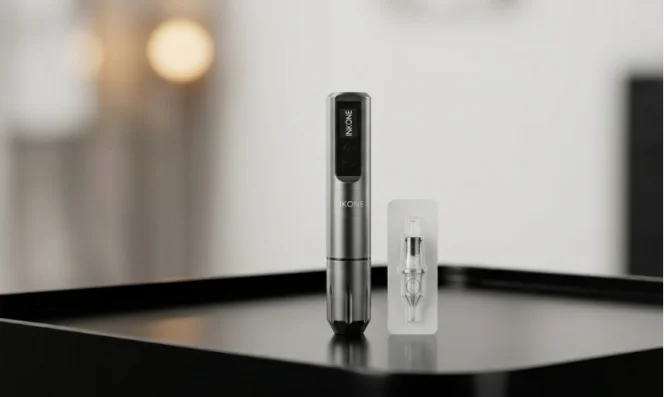
INKONE Wireless Tattoo Machines as Your Partner
INKONE is a professional tattoo equipment supplier based in Yiwu, China, focused on developing tattoo machines with solid structure and stable power systems. The team behind the brand designs circuit schemes and machine structures in house, and both software and hardware can be developed independently, which helps match the motor, control board, and battery as one complete system instead of separate parts.
Along with wireless tattoo machines, INKONE also supplies cartridge needles, power supplies, and disposable tattoo products. Every step from production and testing to packing and delivery pays attention to detail, so you receive equipment that feels safe, clean, and ready for studio use. The packing is tidy and presentable, which quietly supports your image in front of clients while you focus on steady lines and smooth shading day after day.
FAQ
Q1: How much battery time do you really need for daily work?
A: For most artists, a total of five to eight hours of real run time across all batteries is enough to cover a normal day. If you do back to back large pieces, planning for more time and keeping at least one spare battery charging is a safe habit.
Q2: Is a stronger motor always better?
A: A stronger motor helps with big color pieces and tough skin, but it is not always best for small, delicate work. You want a motor that matches your main style, not just the highest number on the spec sheet.
Q3: What makes a wireless pen good for beginners?
A: Simple controls, clear voltage display, stable output, and a comfortable grip matter most. When people talk about the best wireless tattoo machine for beginners, they usually praise how easy it is to set up and how predictable it feels, not just the look.
Q4: How do you test voltage stability without special tools?
A: You can pay attention to how the machine feels over time at the same voltage setting. If lines and shading stay consistent from the start of the session to the end of the battery, that is a good sign. If the hit feels softer even though the number on the screen does not change, stability may not be great.
Q5: Should you switch fully to wireless and stop using wired machines?
A: Not always. Some artists enjoy a mixed setup: wireless for small and medium pieces or travel, wired for very long sessions. There is no rule that you must choose one forever. You can use each type where it makes the most sense and build your own view of wireless tattoo machine pros and cons through real work.