If you’re trying to build a serious setup on a real budget, the dream is simple: one tattoo machine for lining shading and color packing. Not three different pens, not a drawer of “maybe someday” gear. This guide shows how a pen style rotary tattoo machine with the right stroke options and steady output can cover most daily work, plus a beginner tattoo machine setup checklist you can actually use.
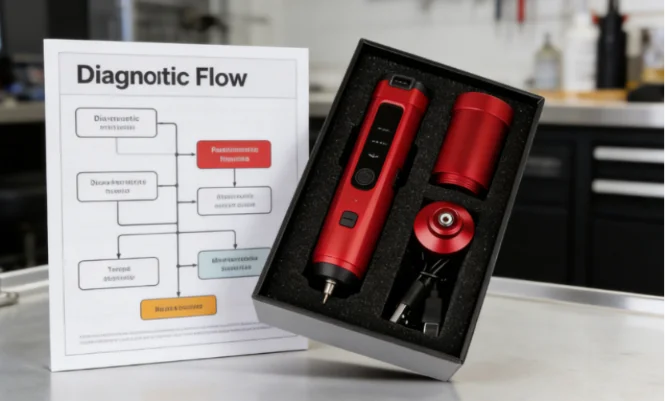
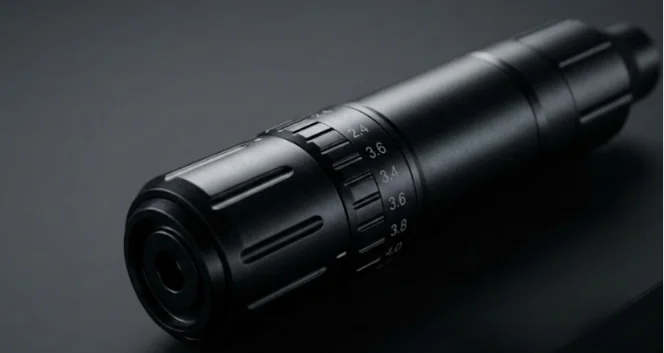
INKONE sits in a practical spot for artists who want that “one-machine” path. INKONE is a tattoo equipment supplier based in Yiwu, China, established in 2018, with a product line that spans machines, needles, power supplies, and studio essentials. The brand talks a lot about production details like inspection, packing, and delivery, and also highlights custom services for artists and distributors who want a specific configuration rather than a random factory spec. That matters when you’re buying your first professional pen and you don’t want surprises. A good example is the INKONE Saber, which offers seven stroke steps from 2.4–4.2 mm and ships with two batteries plus an RCA adapter, so you can run a clean wireless day and still keep a wired backup plan.
Why Do New Artists End Up Buying Too Many Machines?
Most “gear bloat” starts with frustration, not greed. Your first month of real work exposes gaps fast. Lines look light, shading turns grainy, color doesn’t stick, and you assume the machine is the problem. Then you buy a second pen. Same issues. Now you’re shopping for a third.
Here’s the blunt truth: a lot of those problems come from mismatch. Stroke, voltage, hand speed, and needle choice aren’t working together. When they do work together, avoid buying three tattoo machines becomes realistic, not wishful thinking.
The Real Causes of “Gear Bloat”
You copy settings from a video. Your hand speed is different. Your client’s skin is different. Your needle grouping is different. The result looks different. That pushes you into more gear, instead of better control.
The Goal: One Machine, Three Jobs
Think “repeatable results.” You want clean linework, smooth fades, and solid color saturation with fewer passes. If one tool can do that, the rest is just workflow.
Rotary vs Coil: Which Makes More Sense for a One-Machine Setup?
A coil can be great, but it adds tuning, springs, and a bigger learning curve. If you’re trying to keep your setup simple, a pen style rotary tattoo machine is the usual starting point because it’s easier to run consistently day after day.
That’s also why most “one pen does it all” setups lean on stroke control. Stroke is the easiest way to shift the feel from soft shading to harder lining without changing the whole machine.
Why Pen-Style Rotary Is the Practical Default
A pen format gives you familiar grip and balance. When the motor behaves the same way all day, your hands get the signal you expect. That’s what people mean by stable motor performance and consistent power delivery in real life.
When Coil Still Shows Up
If your local scene is coil-heavy, you’ll hear “coils hit different.” Sure. But if your goal is tattoo machine for multiple styles, the pen route is usually simpler to learn and easier to repeat.
What Specs Actually Let One Machine Cover Lining, Shading, and Packing?
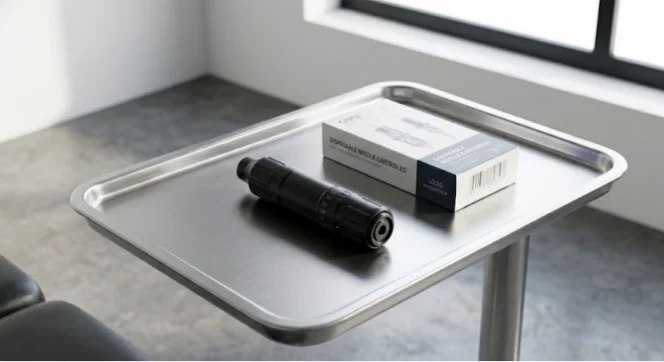
Here’s where shopping gets noisy. Everyone talks about “power.” You should care more about control. A true “one machine” choice needs an adjustable stroke tattoo machine, solid battery behavior, and a motor that doesn’t bog when you slow your hand on tough skin.
INKONE Saber is a good example of specs that fit this job: stroke adjust from 2.4–2.7–3.0–3.3–3.6–3.9–4.2 mm, 1500mAh battery capacity, 18×27 mm coreless motor, 4–6 hours working time, and 0–2 hours charging time. Package includes two batteries, an RCA adapter, and a Type-C charging cable.
Adjustable Stroke: The Main “One Machine” Feature
This is the center of the whole article: tattoo machine stroke length changes how the needle feels on skin. Shorter stroke tends to feel softer and more forgiving for blends. Longer stroke tends to feel punchier for lines and packing. Your settings still matter, but stroke gives you a clean starting direction.
Stable Motor Behavior: Consistency Beats Max Output
A coreless motor can feel smooth, but what matters is how it holds pace. If your machine loses punch the moment you slow down, you’ll compensate with bad habits. That’s where overworking starts.
Battery And Backup Reality
Wireless is nice. Mid-session battery drama is not. A two-battery kit matters because you can swap and keep moving. The RCA adapter matters because it gives you a wired fallback without changing your whole station plan.
How Do You Configure One Machine for Clean Lining?
Your goal with lining is predictable penetration and steady travel. Not “fastest line.” Clean lines come from the combo of stroke, voltage, needle choice, and your hand doing what it should do.
Start by treating this like lining tattoo machine settings, not a magic number someone posted online. And yes, you’ll write notes like a boring person. That’s how you get good.
Stroke Starting Points for Lining
A common approach: choose a longer stroke when you need a firmer hit and clearer starts, especially with larger liners. That’s why people search best stroke length for lining. You’re aiming for clean linework without chewing the skin.
Hand Speed And Voltage: The Two-Lever Rule
This phrase needs to live in your head: hand speed and voltage. If your line looks weak, you don’t always crank voltage. Sometimes you slow down slightly, keep the stretch clean, and let the needle do the work. If your line looks angry and overworked, you often back off voltage first, then check speed.
Common Lining Mistakes That Waste Money
Buying a second machine won’t fix poor stretch, inconsistent needle hang, or rushing corners. Those are technique problems, not shopping problems.
How Do You Configure One Machine for Smooth Shading?
Shading is where people get impatient. You want smooth black and grey shading, but you push too hard, too fast, and it turns patchy. Then you blame the machine. Classic.
This is the section for shading tattoo machine settings. The “secret” is usually simpler than you want it to be: softer stroke choice, calmer voltage, and steady movement.
Stroke Starting Points for Shading
Shorter-to-mid stroke is a common starting point because it can feel less aggressive on soft blends. That’s why best stroke length for shading is such a common search phrase.
Needle Grouping Selection And Motion
This is where needle grouping selection matters. A mag behaves differently than a liner, obviously, but the real change is how you move. If your fade looks grainy, slow your movement and keep the passes light instead of forcing a dark patch in one go.
Quick Fixes for Patchy Shading
If the shade looks like sandpaper, check three things: your stretch, your speed, and whether you’re stacking too many passes in one spot. Also, drink water. It sounds like a random side note, but shaky hands are often just “too much coffee, not enough water.”
How Do You Configure One Machine for Solid Color Packing?
Color packing punishes sloppy rhythm. You want consistent saturation, but you also want the skin to heal clean. Your goal is solid color saturation and fewer touch-ups later.
This is where a slightly longer stroke and stable output can help, especially when you’re packing larger areas.
Stroke Starting Points for Color Packing
Mid-to-longer stroke is a common direction because it can help drive color more efficiently. That’s why people search best stroke length for color packing and stroke length for lining shading and packing in the same session.
Saturation Checklist
Keep it boring and repeatable: good stretch, consistent hand speed, and steady voltage. If you need five passes to make a small area solid, something is off.
When Packing Feels Slow
Usually it’s one of these: stroke too short for the job, voltage too low for your speed, or you’re moving too fast and not letting pigment settle.
What Is the “One-Machine” Configuration Checklist You Can Print?
Here’s the part you’ll actually use. Call it your beginner tattoo machine setup checklist. Tape it near your station. When a day goes sideways, it brings you back to basics.
Before You Start: Five Checks
Confirm stroke setting for today’s task
Confirm needle choice and needle hang
Choose a voltage range you can control
Check battery status and keep the spare battery ready
Confirm your backup path, wireless or RCA
During The Session: Three Adjustment Rules
If lines blow out, reduce aggression first (often voltage), then slow slightly and fix stretch.
If shading looks harsh, soften the setup (often stroke or voltage), then lighten your passes.
If packing is patchy, match stroke and speed, then check needle grouping and your overlap pattern.
After The Session: Notes That Save You Cash
Write down what stroke you used, roughly where your voltage sat, and what needle groupings worked. These notes are the difference between “new artist chaos” and a real system.
FAQ
Q1: Can You Really Use One Tattoo Machine for Lining Shading and Color Packing?
A: Yes, if you treat stroke, hand speed, voltage, and needle choice as one system. That’s why the phrase one tattoo machine for lining shading and color packing matters more than any single spec.
Q2: What Is Tattoo Machine Stroke and Why Does It Matter?
A: What is tattoo machine stroke comes down to needle travel length. Shorter stroke can feel softer for blends. Longer stroke can feel punchier for lines and packing. The key is matching stroke to the job.
Q3: What Are Good Lining Tattoo Machine Settings for Beginners?
A: Lining tattoo machine settings should aim for clean starts and steady travel. Start with a firmer stroke direction when you need it, then tune hand speed and voltage so the line lands clean without overworking.
Q4: How Do You Fix Shading That Looks Patchy or Grainy?
A: For shading tattoo machine settings, lower aggression first, then slow down and keep passes light. Check stretch and needle grouping selection. Patchy shading is often rushed movement, not weak hardware.
Q5: Why Does Color Packing Take Too Many Passes?
A: If color packing tattoo machine settings feel slow, stroke may be too short, speed may be too fast, or voltage may be too low for your rhythm. Adjust one variable at a time until you get solid color saturation with fewer passes.