What Is a Tattoo Stencil Printer?
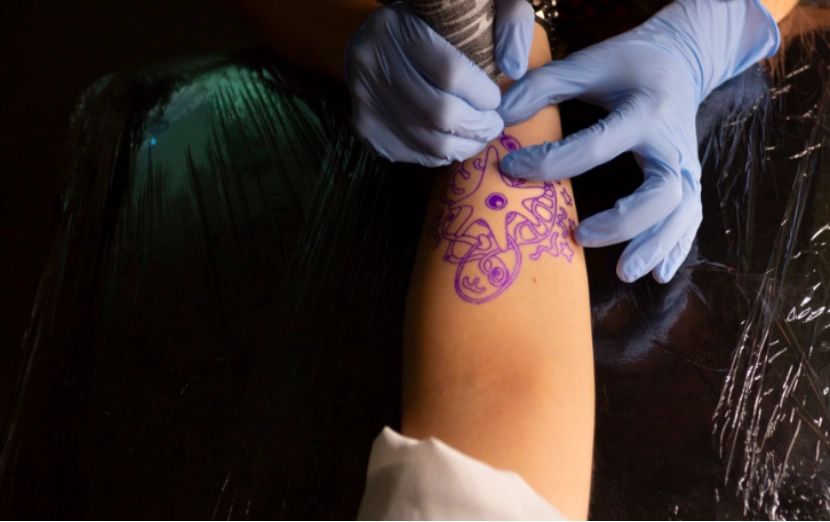
Technically, it is a specialized thermal device designed to translate digital art or hand drawn sketches onto tattoo transfer paper. You can view it as a direct link between an iPad screen and your client’s skin. The machine does not use regular ink. Instead, it uses heat. This heat activates the carbon layer on the stencil paper. As a result, you get a clear, purple guide.
This outline stays firmly in place while you work. The device removes the need for long hours of manual tracing over a light box. Therefore, it guarantees that the exact image on your screen appears perfectly on the skin.
Why Tattoo Artists Use Thermal Tattoo Printers
The shift from manual tracing to using a dedicated tattoo printer is about more than just laziness; it is about precision and workflow. When handling a complex geometric sleeve or a hyper realistic portrait, the margin for error in a hand traced stencil is too high. A thermal printer maintains perfect line consistency across the entire design. It saves an immense amount of preparation time—turning a thirty minute tracing session into a thirty second print job. This efficiency is vital for high volume studios where time literally equals money. Furthermore, for artists who travel to conventions or guest spots, these machines offer a level of portability that allows them to finalize designs in a hotel room or at a booth without needing a bulky setup.
Key Features to Look for in a Tattoo Stencil Printer
Choosing the right hardware requires looking past the sleek plastic casing and into the technical specs that actually affect daily work.
Print Resolution
Print resolution is the first hurdle. Most professional units operate at 203DPI. While that might sound low compared to a photo printer, for stencil lines, it is the sweet spot. It provides enough clarity for fine line details without being so dense that the carbon smears.
Paper Compatibility
Paper compatibility matters because different projects require different formats. A versatile machine should support both standard A4 tattoo transfer paper and roll paper. Roll paper is a lifesaver for those long leg pieces or spine tattoos where a single A4 sheet just won’t cut it.
Print Length
Print length is often overlooked. If a printer is capped at 11 inches, the artist is forced to tape multiple sheets together—a messy and often inaccurate process. Looking for a printer that can handle continuous printing is a game changer for large scale work.
Battery Life
Battery life is the backbone of the traveling artist’s kit. A solid internal battery should last through a full day at a convention without needing to hunt for a power outlet.
Device Compatibility
Device compatibility is absolutely required today. The printer needs to connect easily with iOS, Android, PCs, and laptops. Bluetooth is generally the best choice for mobile artists. This is especially true if they draw with Procreate on an iPad.
Certifications
Certifications like CE, RoHS, and FCC are essential for B2B buyers and studio owners. These aren’t just stickers; they ensure the electronics are safe and meet international standards, which is a major factor when importing equipment in bulk.
Warranty and Supplier Support
A good warranty and strong supplier support give you peace of mind. In an active studio, a broken printer stops all work immediately. You need a dependable supplier. They should provide a clear warranty and fast help for technical problems. This kind of support is usually much more valuable than saving a little money on the initial price.
A4 vs Roll Paper: Which Is Better for Tattoo Stencils?
The debate between A4 and roll paper usually comes down to the specific tattoo style. A4 paper is the standard; it is easy to store, pre-cut, and perfect for the majority of palm sized or medium tattoos. However, it is rigid in its dimensions. If a design is 15 inches long, A4 fails.
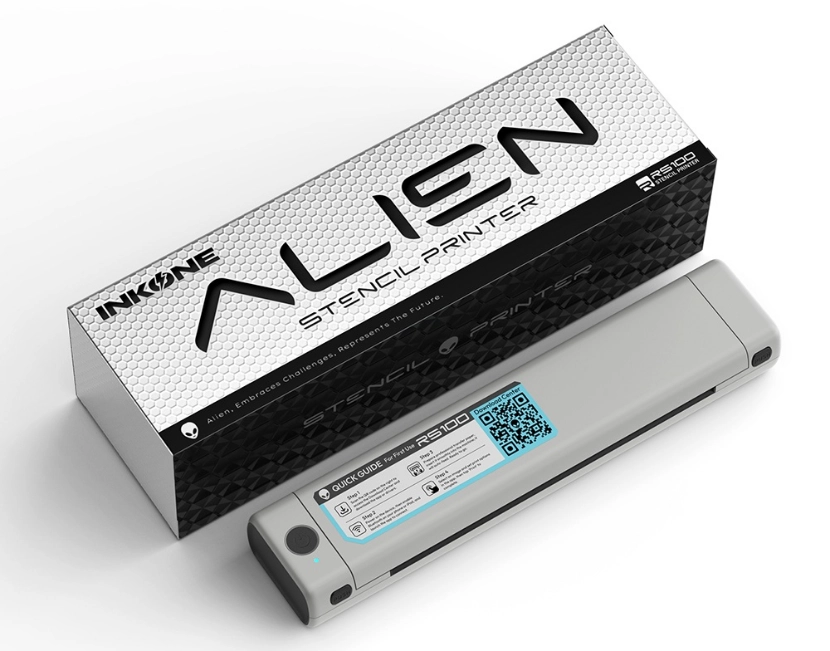
Roll paper offers freedom. It allows the artist to print exactly the length they need, reducing paper waste for small designs and enabling massive, seamless stencils for large projects. For instance, the INKONE RS-100 Tattoo Stencil Printer is a standout because it supports both formats and can print up to 1.5m in a single pass. This versatility means a studio doesn’t have to stock two different machines.
Best Tattoo Printer Setup for Studios, Traveling Artists, and Suppliers
Different users have vastly different needs when it comes to their tech stack.
For a permanent Tattoo Studio, the focus is on stability and long term cost. They need a machine that can sit on the workstation, handle fifty prints a day without overheating, and maintain crisp lines. The cost per print becomes a metric here, so compatibility with various transfer paper brands is a plus.
A Traveling Artist prioritizes weight and connectivity. They need something that fits in a carry on, connects instantly to their phone via an app, and doesn’t require a power brick to function. For them, the “office” might be a cramped booth at a noisy convention, so the printer needs to be rugged and independent.
A Tattoo Equipment Supplier looks at the “big picture.” They care about the failure rate of the units, the professional packaging, and whether the manufacturer offers OEM/ODM services for private labeling. Having the right certifications makes the customs process smoother and builds trust with the professional artists who will ultimately buy the product.
Final Checklist Before Buying a Tattoo Stencil Printer
Before pulling the trigger on a new unit, run through these points:
- Does it support the operating system you actually use (especially iPad/Procreate)?
- Can it handle roll paper for those big back pieces?
- Is the DPI high enough for your specific line work style?
- Does the supplier provide a warranty that actually covers the thermal head?
- Is it compact enough for your workspace or travel bag?
Checking these boxes ensures the machine becomes a tool rather than a headache. Explore the INKONE tattoo stencil printer to see how it can fit your studio, wholesale, or private-label product needs.
FAQ
Q: Can I use regular printer paper in a tattoo printer?
No. Thermal tattoo printers require heat sensitive transfer paper (stencil paper) to create the design. Regular paper will not work and could potentially damage the thermal head.
Q: Why is my stencil coming out blurry?
This problem usually happens because of a dirty thermal head. It can also result from using cheap transfer paper. You should clean the heating part with alcohol. Using high-quality carbon paper also helps. These simple steps normally fix the issue right away.
Q: Do these printers require ink or toner?
No, they are thermal printers. They use heat to transfer the “ink” already present on the carbon sheet of the stencil paper onto the transfer sheet.
Q: Is Bluetooth or USB connection better?
USB is generally more stable for stationary PC setups in a studio, while Bluetooth is essential for mobile artists using tablets and phones. Most modern professional printers offer both.